Your work,
on your word.
A voice workspace for your Mac. Work on files, ask for a result, and check it before you move on.
Apple silicon. Download first, choose your plan in Morrow.
Not on a Mac?Not on Windows?

The Morrow app on a Mac. Sample files shown.The Morrow app. Windows keeps the same design, with Windows' own window buttons. Sample files shown.
One sentence.
A file you can use.
"Read my board brief and add a decision on who joins first."
Example workflow
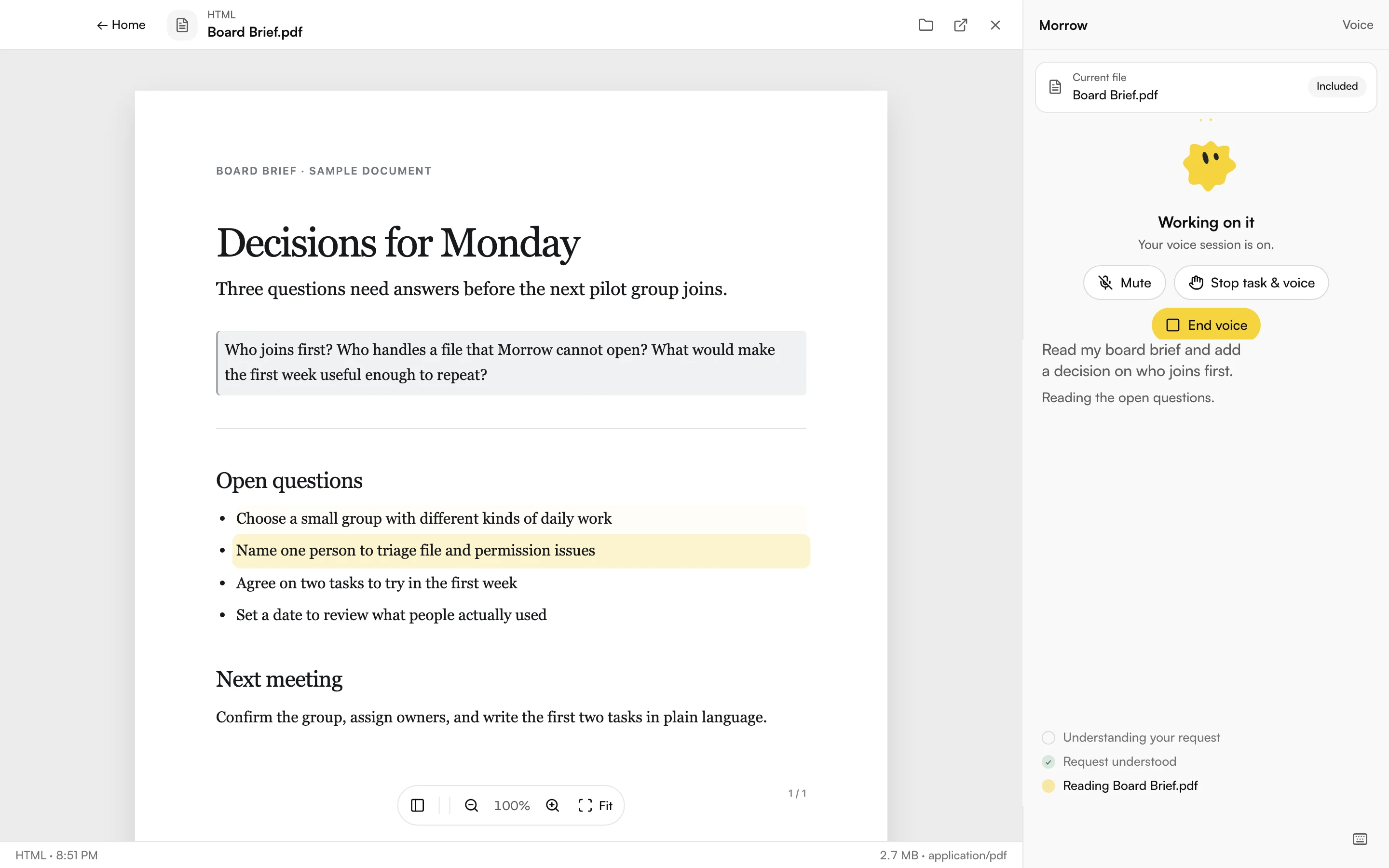

Keep your place.
Morrow keeps working.Switch to another window.
Morrow keeps working.

Work you can
open again.
Briefs, spreadsheets, presentations. The files Morrow makes live on your Mac, with a Library to find them again.
Download for Mac Download for Windows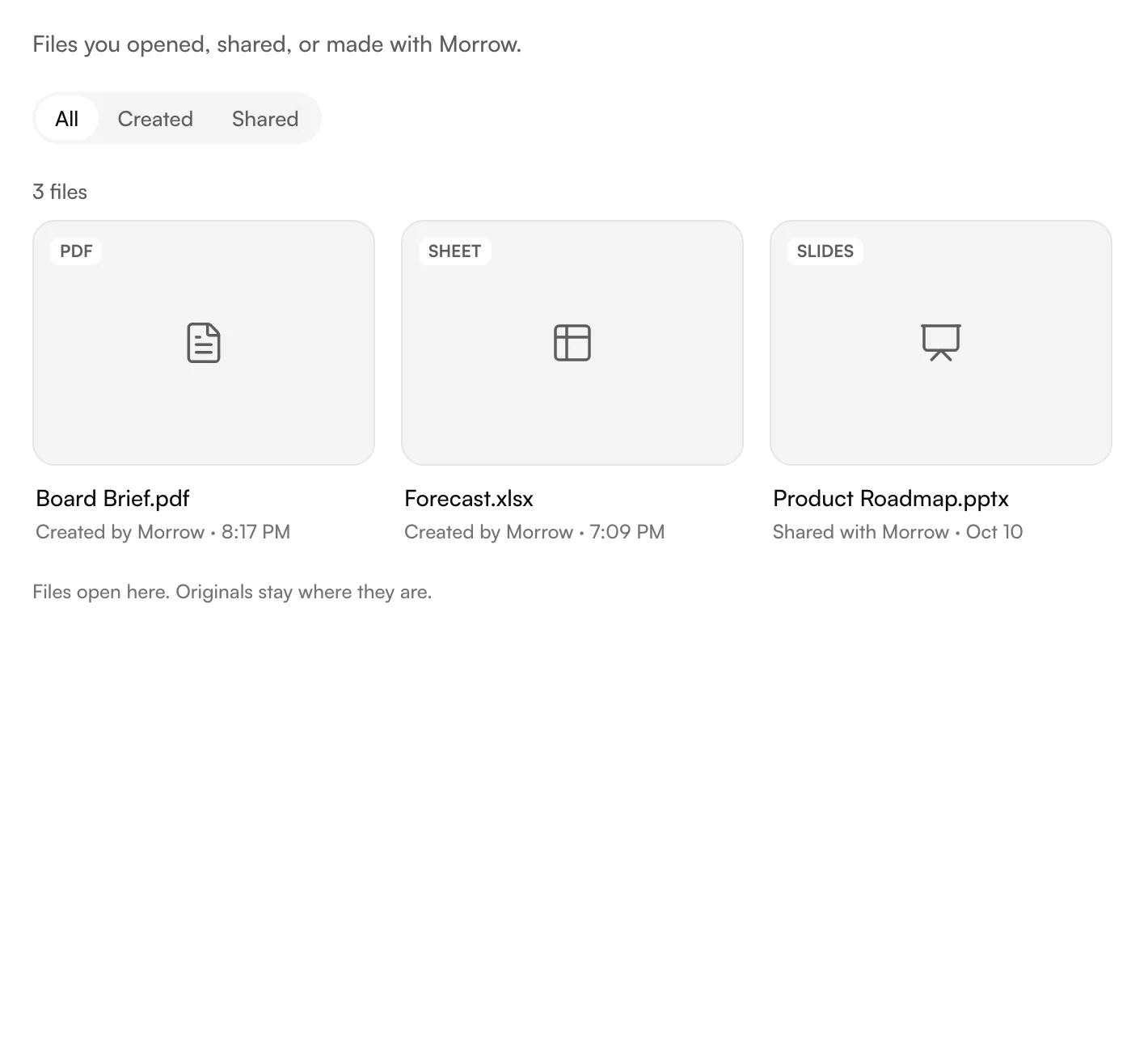
You decide what
Morrow can do.
- Your files stay close
- Conversations, transcripts and generated files are stored on your Mac.
- Your account stays yours
- Your ChatGPT sign-in stays on your device. Requests and the context they need go to OpenAI under your account's data controls.
- Permission stays explicit
- Choose the folder Morrow works in. Approve actions that need wider access. You can interrupt work from the app. macOS asks before Morrow can use the microphone, the screen or other apps. Windows asks before Morrow can use the microphone.
The Mac edition
The Windows edition
Built for the Mac. All of it.
Morrow started on the Mac. It uses the notch, the Keychain and the permission system the way Apple intended, and Apple has checked the build.
Morrow on Windows keeps the Mac design and behaves like a Windows app should: its own window buttons, your own microphone and speaker, and updates that wait for you.
Download for Mac Download for Windows- Island
- Morrow Island lives in the notch.Press control and option in any app. The Island drops down, listens, and shows the task while you keep working.
- Control
- It can click and type for you.With the official ChatGPT or Codex desktop app running, Morrow can work inside other Mac apps. macOS asks for Accessibility and Screen Recording first.
- Notarized
- Checked by Apple before it reaches you.The Mac build is signed with a Developer ID and notarized by Apple, so Gatekeeper opens it without a warning.
- Keychain
- Your sign-in sits in the macOS Keychain.Morrow never writes your password to a file. If the Keychain asks, type your Mac login and choose Always Allow.
- Silicon
- Native on Apple silicon.Built for M-series Macs on macOS 13 or later. Voice, files and the Island run without Rosetta.
- 0.3.24
- Help comes to you.Support replies open inside Morrow with steps you can tick off, and stay in Settings, then Help.
- 0.3.20
- Windows' own window buttons.Minimize, maximize and close sit at the top right like every Windows app. Right-click the title bar or press Alt+Space for the window menu.
- 0.3.19
- Your mic, your speaker.Choose which microphone and speaker Morrow uses in Settings, then Voice. Headset or laptop, your call.
- 0.3.26
- Updates wait for you.When a new version is ready, Morrow shows what's new with Update now and Later, never over voice or a running task.
- 0.3.26
- A weak connection doesn't stop your work.Morrow keeps going through network blips, and no longer locks with "Too many activation attempts".
- 0.3.27
- One account, up to five computers.Stay signed in on five computers. One uses Morrow at a time, and "Use it here" moves it to the one you're at.
- Setup
- Not code-signed yet. We say so.Windows may show "Windows protected your PC" before setup runs. Choose More info, check the file name, then Run anyway. The SHA-256 is on the Windows setup page.
Made in
Bharat.
For the work in front of you.

Make room
for the work.
One personal plan for Morrow on your Mac. Your ChatGPT plan is separate.
Morrow Personal
MonthlySee current plan/month + GST
Review the current price and taxes before you subscribe.
Trial availability and billing dates are shown before you subscribe.
- Voice and text on your Mac
- Work on files and review results
- Conversations and files saved locally
- Sign in on up to five computers, one at a time
- Manage your plan in Morrow or online
UPI AutoPay and cards through Razorpay.
Before you
start.
Is there a free trial?
When a trial is available, its length and first charge date appear before you authorize payment. Download Morrow to review the current offer.
How does UPI AutoPay work?
You authorize recurring payments through Razorpay. Checkout shows the amount and scheduled charge date before you approve. Cards are also supported.
Can I cancel?
Yes. Manage or cancel in Morrow's Account & plan settings or your online account. Cancel an available trial before its first charge to avoid that charge. Paid access lasts until the end of the paid term.
Do I need ChatGPT?
Yes. Connect your own ChatGPT account during setup. Morrow uses Codex under that account, so your plan's access and usage limits apply. Your ChatGPT subscription is separate from Morrow. Morrow never asks for an OpenAI API key.
Is Morrow listening all the time?
No. It listens after you press Speak, or press control and option to open the Island. Press again to stop. You can type instead at any point.
Can I use one account on two computers?
Yes, from Morrow 0.3.27. Stay signed in on up to five computers. One of them uses Morrow at a time, and you can move it to whichever computer you're at.
Which Macs are supported?
The Mac download is for Apple silicon, including M1 and newer, on macOS 13 or later. The build is notarized by Apple. Follow the install guide for setup and permission help.
Which PCs are supported?
Windows 10 or 11, 64-bit. Download the setup, run it, then sign in. The Windows setup page covers company-managed laptops too.
Why does Windows warn me about the installer?
The Windows setup isn't code-signed yet, so SmartScreen shows "Windows protected your PC". Choose More info, check that the file is Morrow-Setup-0.3.27.exe, then Run anyway. If there is no Run anyway option, Smart App Control is on: never switch it off for Morrow, contact support instead.
Tomorrow,
minus the to-do.
That's where the name comes from. Watch the "to" fall off, then grab the o and throw it. Tap the empty space and more Morrows drop in.